Simple Google Translate client on your console (Unofficial)
| TUI | ||
| config.json | ||
| config.py | ||
| GoogleTranslator.py | ||
| LanguageCode.csv | ||
| LICENSE | ||
| main.py | ||
| README.md | ||
| requirements.txt | ||
| Screenshot_20210424_224030.png | ||
| Screenshot_20211224_150251.png | ||
| Sound.py | ||


GoogleTranslate-TUI
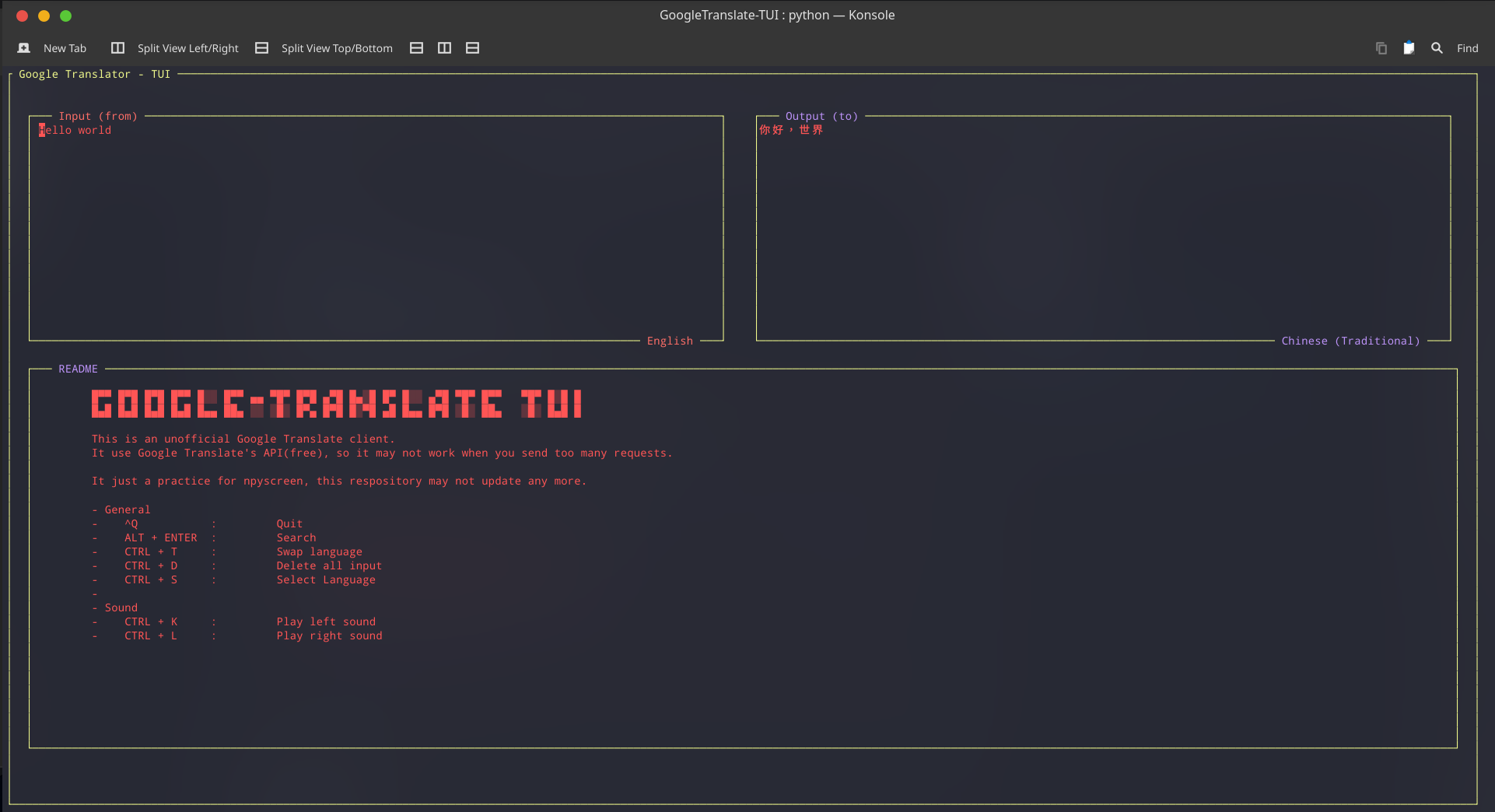
Google Translate client on your console (Unofficial)
Warning
It use Google Translate's API(free), so it may not work when you send too many requests.
It just a practice for npyscreen, this respository may not update any more.
Usage
-
Install packages
pip install -r requirements.txt
-
Change Language Settings:
vim config.json- You can find Language Code in ISO-639-1 or Google Support or
LanguageCode.csv
{ "inputLanguage": "en", "outputLanguage": "zh-TW" } - You can find Language Code in ISO-639-1 or Google Support or
-
Start
python main.py
Controls
- General
- Send Request:
ALT + ENTER - Swap Language:
CTRL + T - Delete all input:
CTRL + D - Exit:
Ctrl + Q - Select Language:
Ctrl + S- Select other Widget:
TAB/Shift+TAB - Select:
ENTER
- Select other Widget:
- Send Request:
- Sound
- Play Sound on left:
CTRL + K - Play Sound on right:
CTRL + L
- Play Sound on left: